
FAQ
FAQ
Tips
Feel free to give feedback on other questions (≧∀≦)
I. Login
Q1: What is the server IP and what versions are supported?
A: Server domain: Play.RSerene.com
Supported version: Minecraft Java Edition 26.3
Q2: Why can't I connect with a non-premium account?
A: For management purposes, the server has enabled premium and external login authentication.
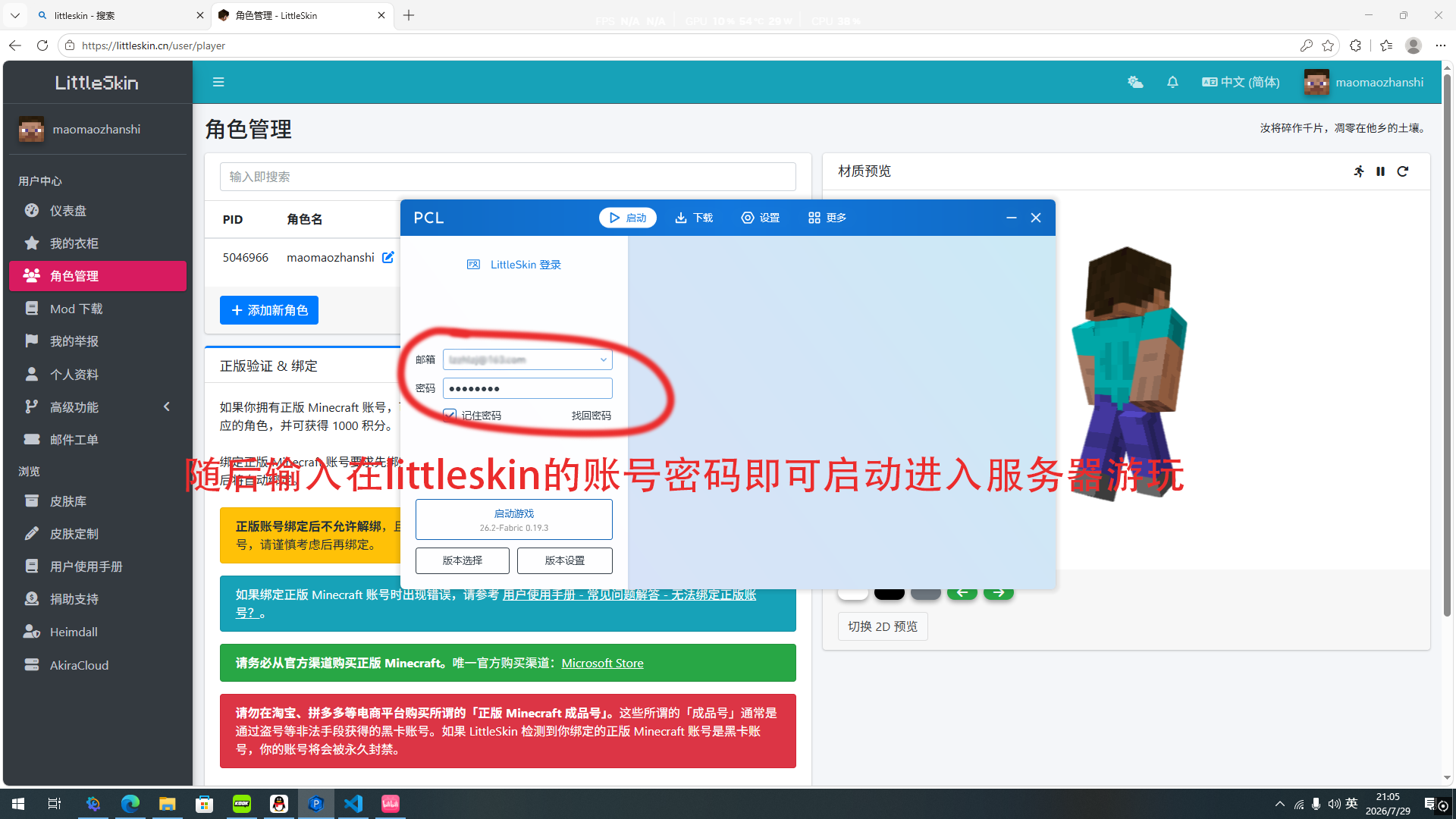
Offline players must register a LittleSkin account and log in with that skin account in the launcher before joining;
Premium Minecraft accounts can connect directly without any extra steps.
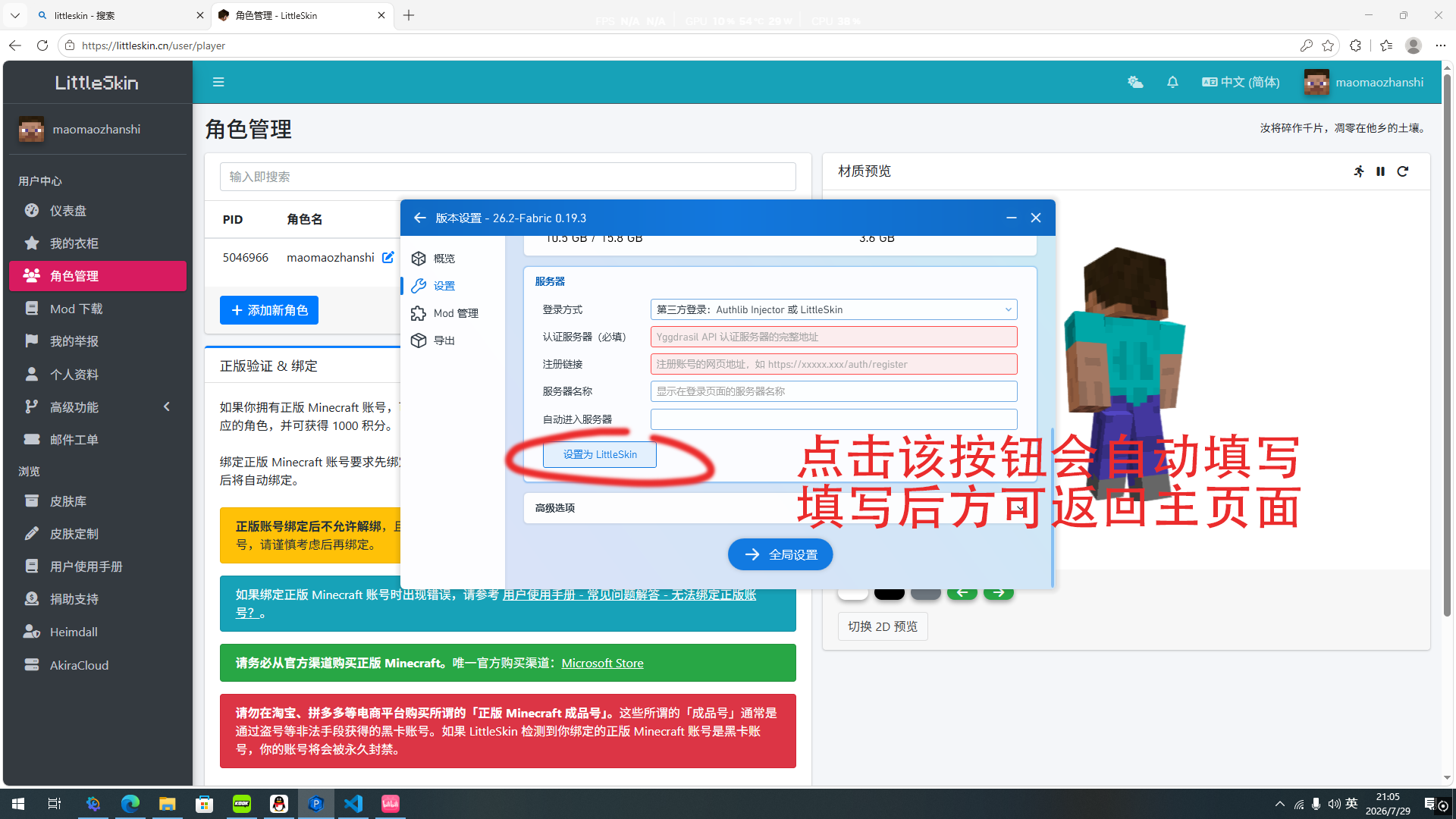
Q3: How to set up LittleSkin external login in PCL2 launcher?
A:
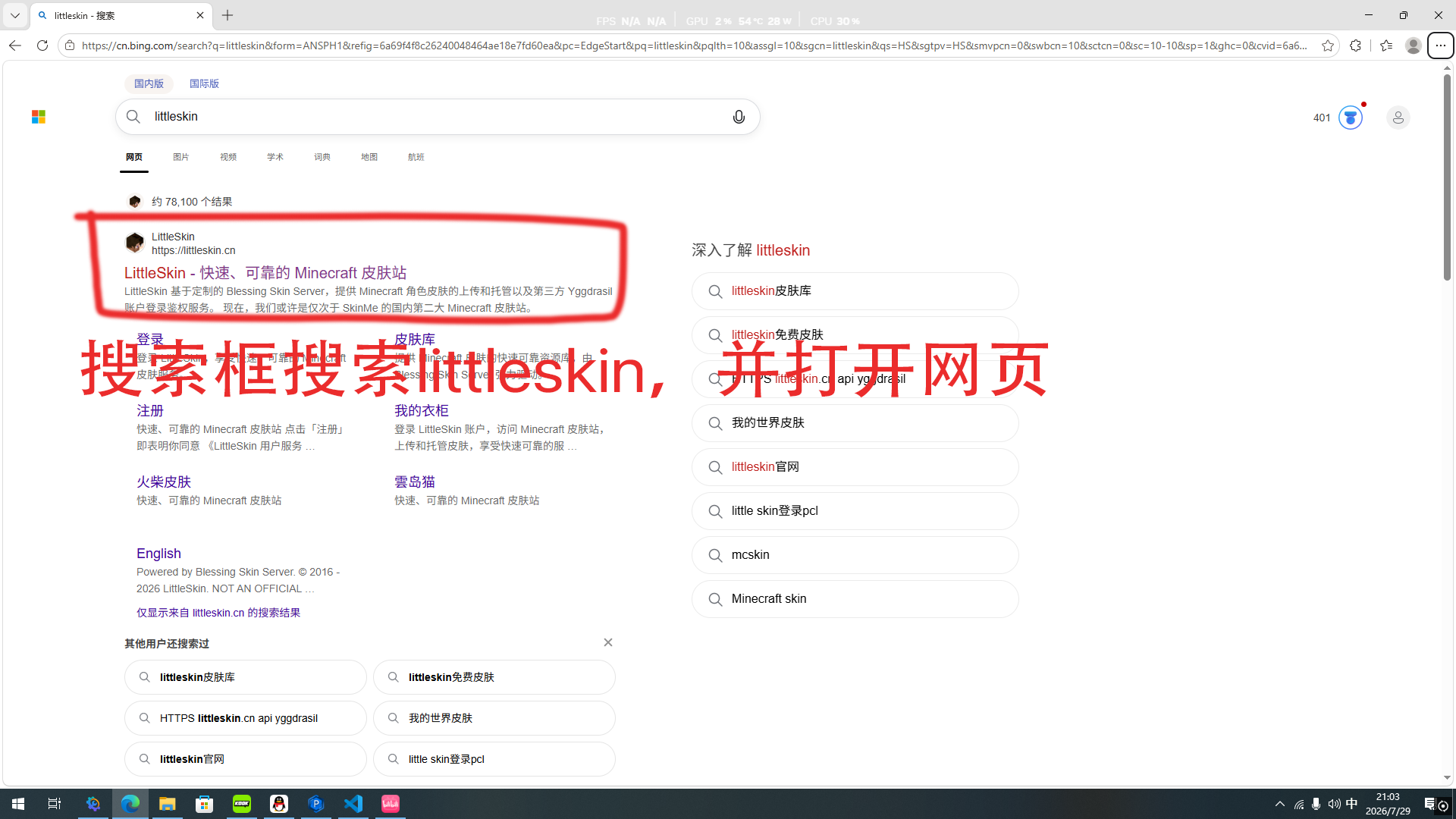
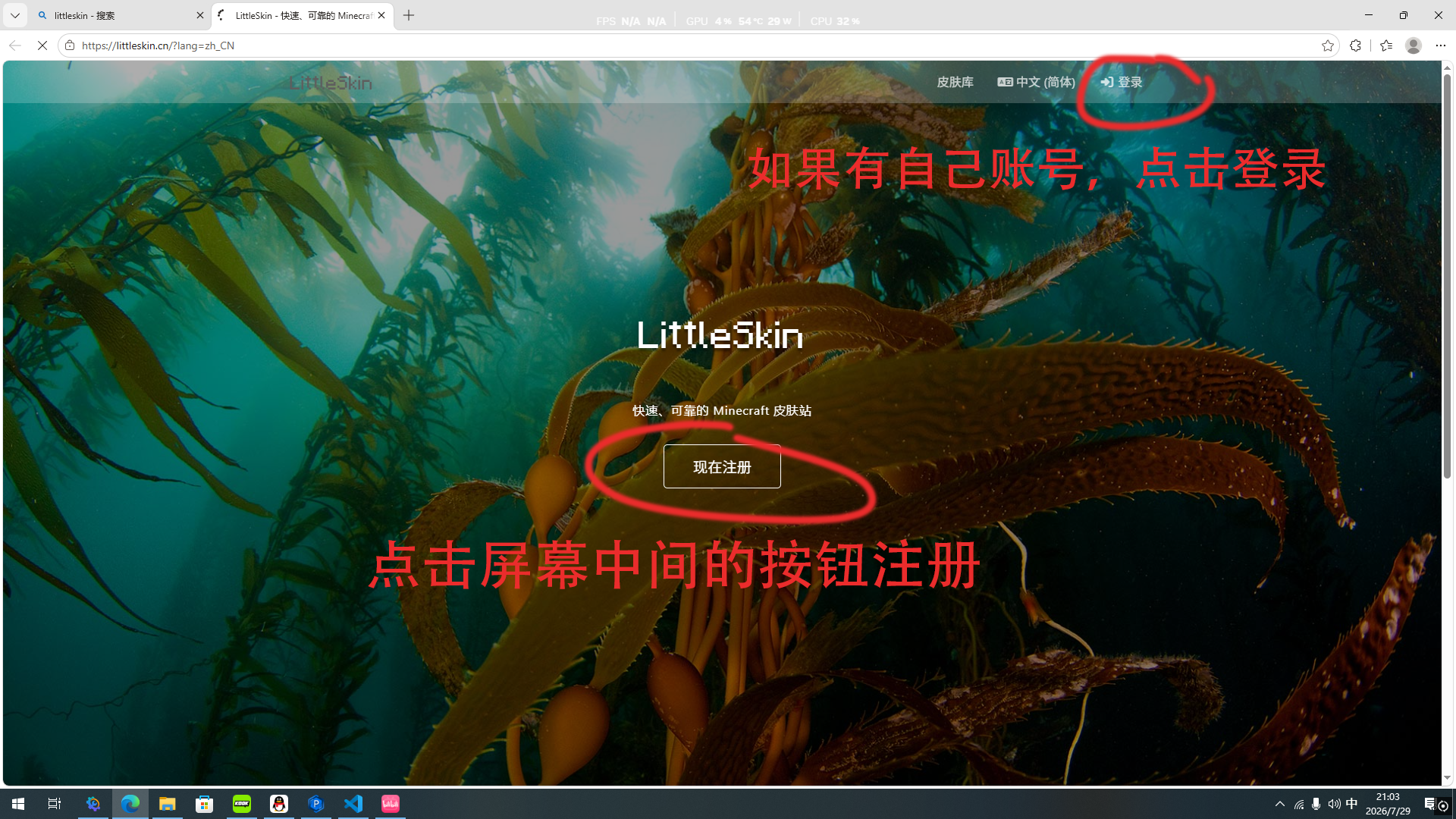
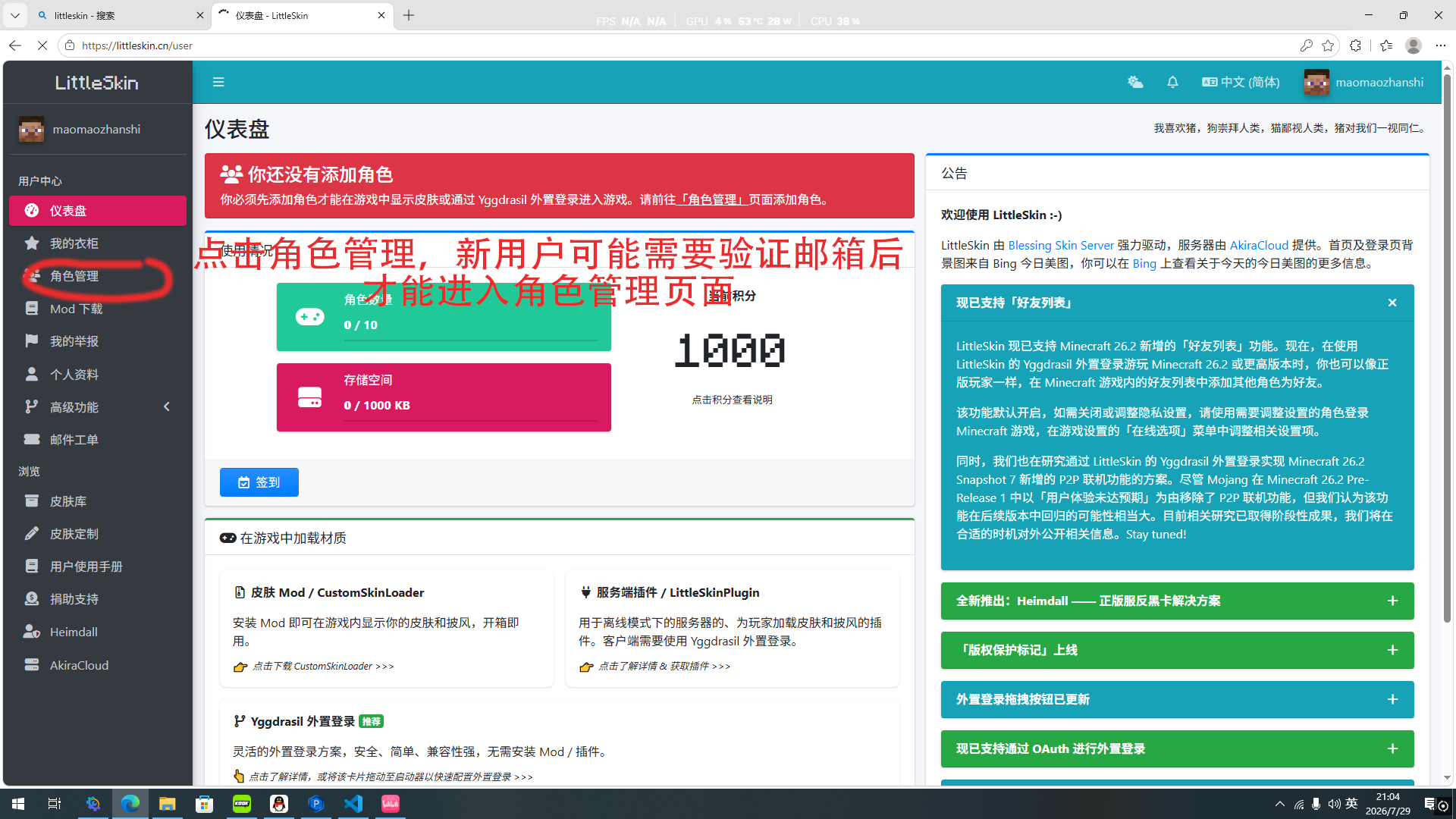
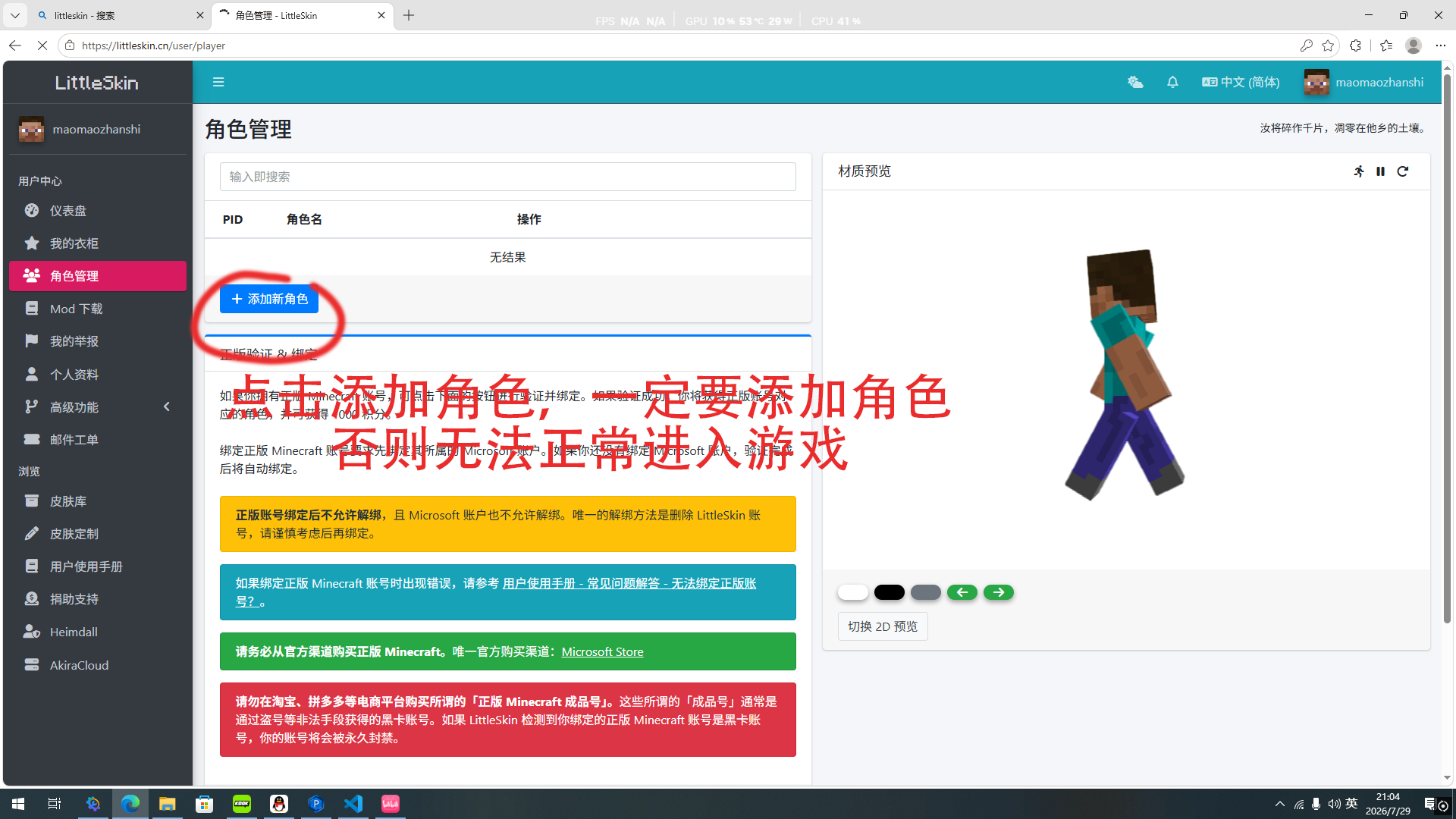
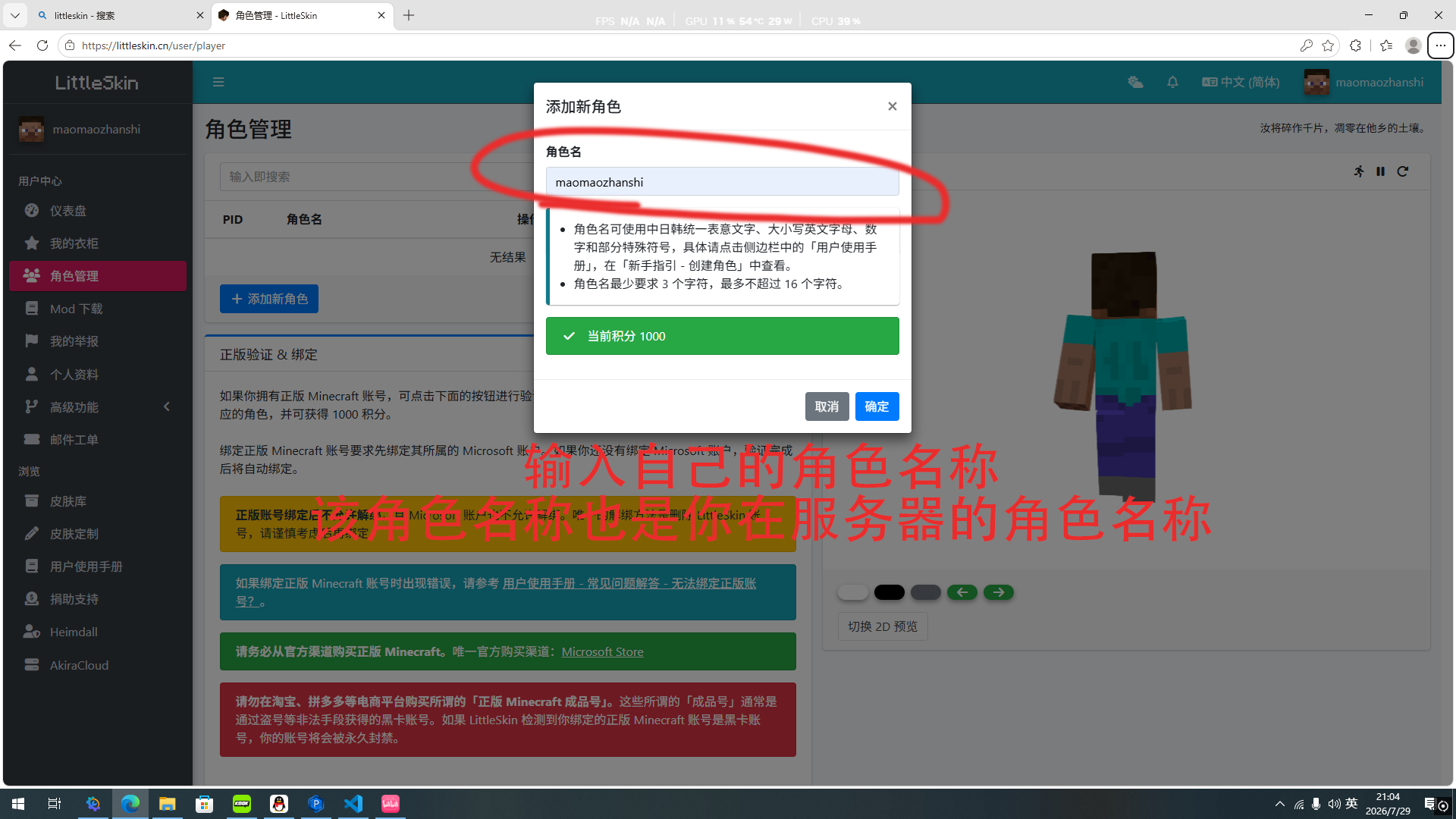
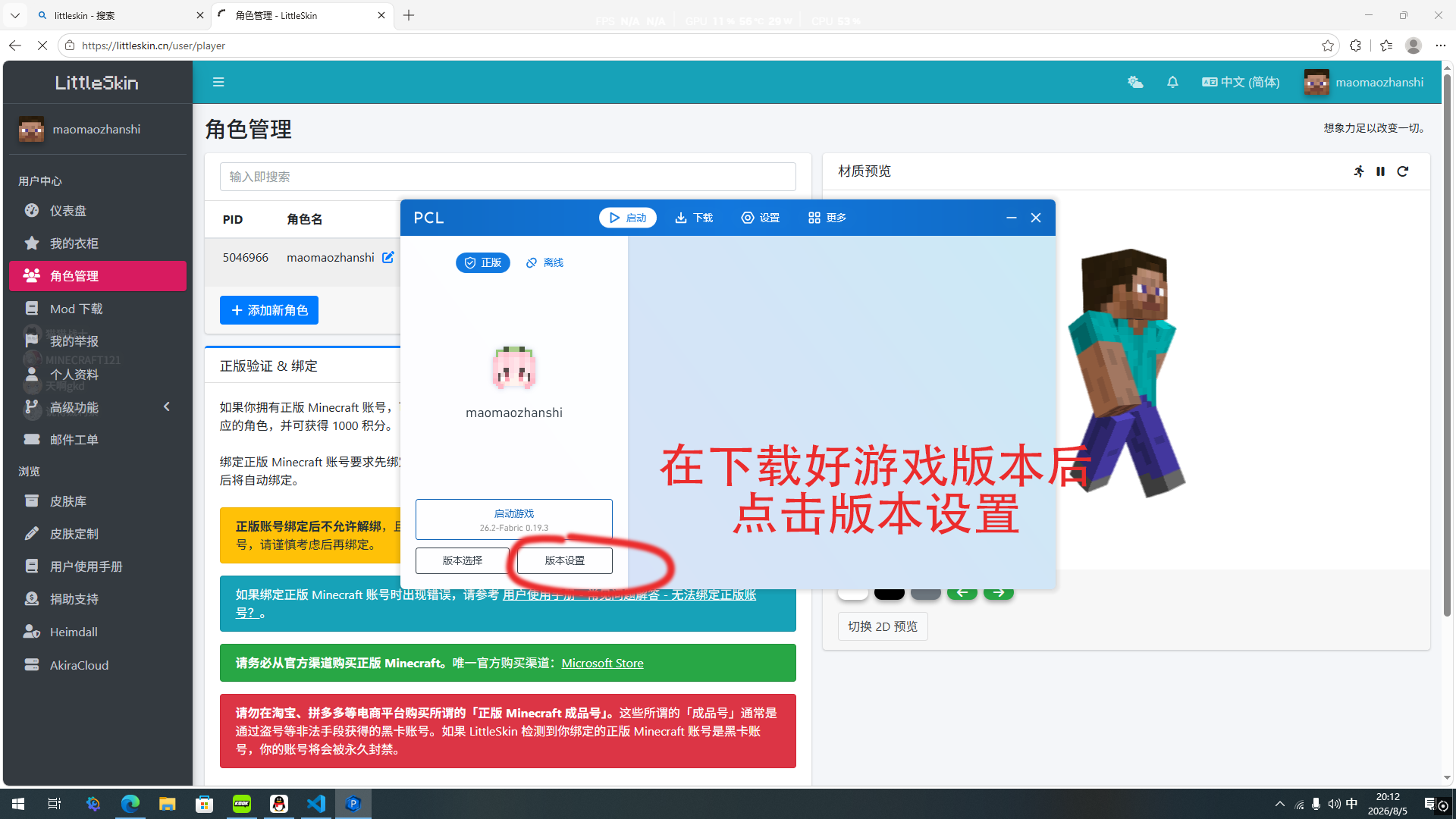
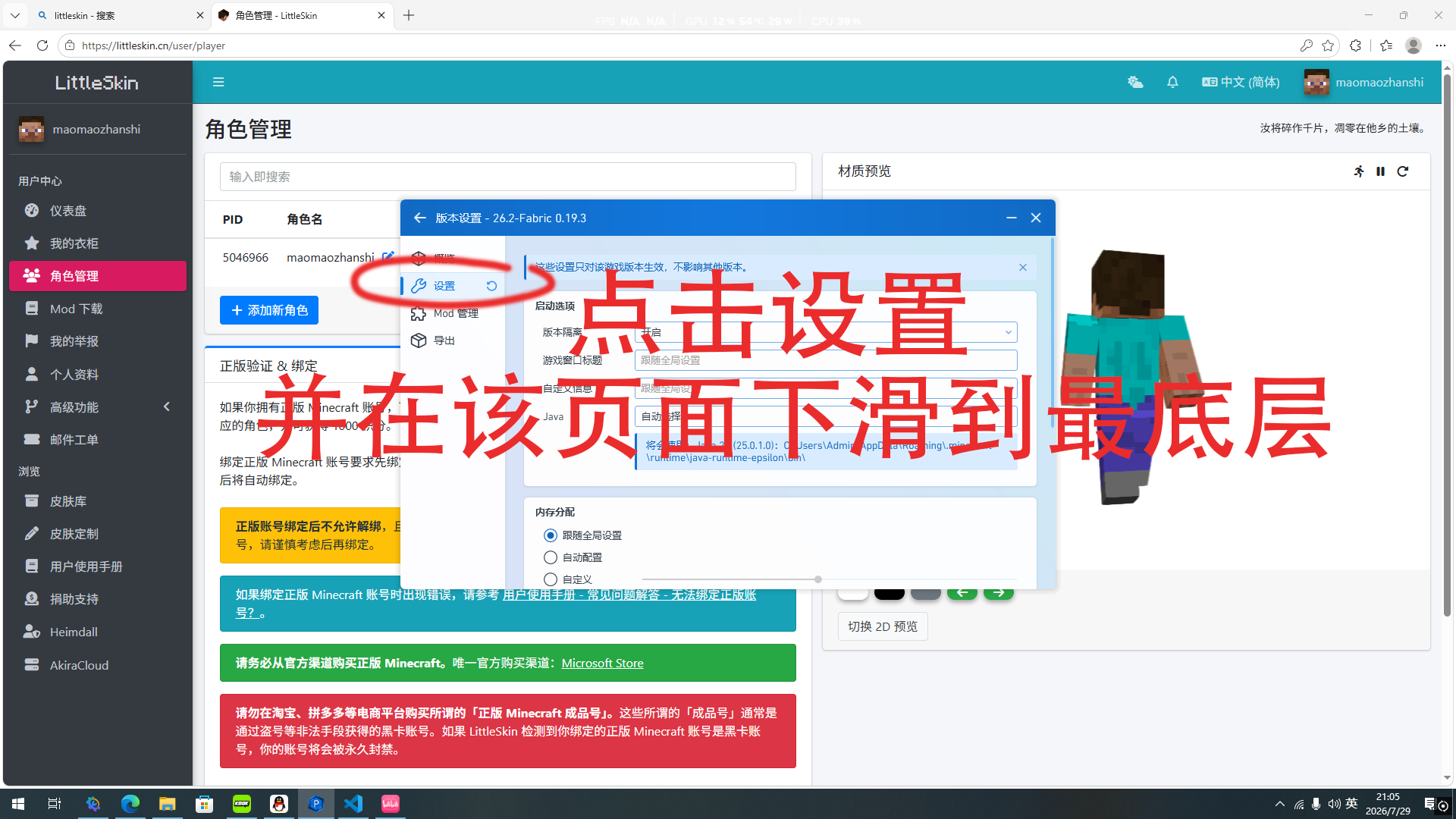
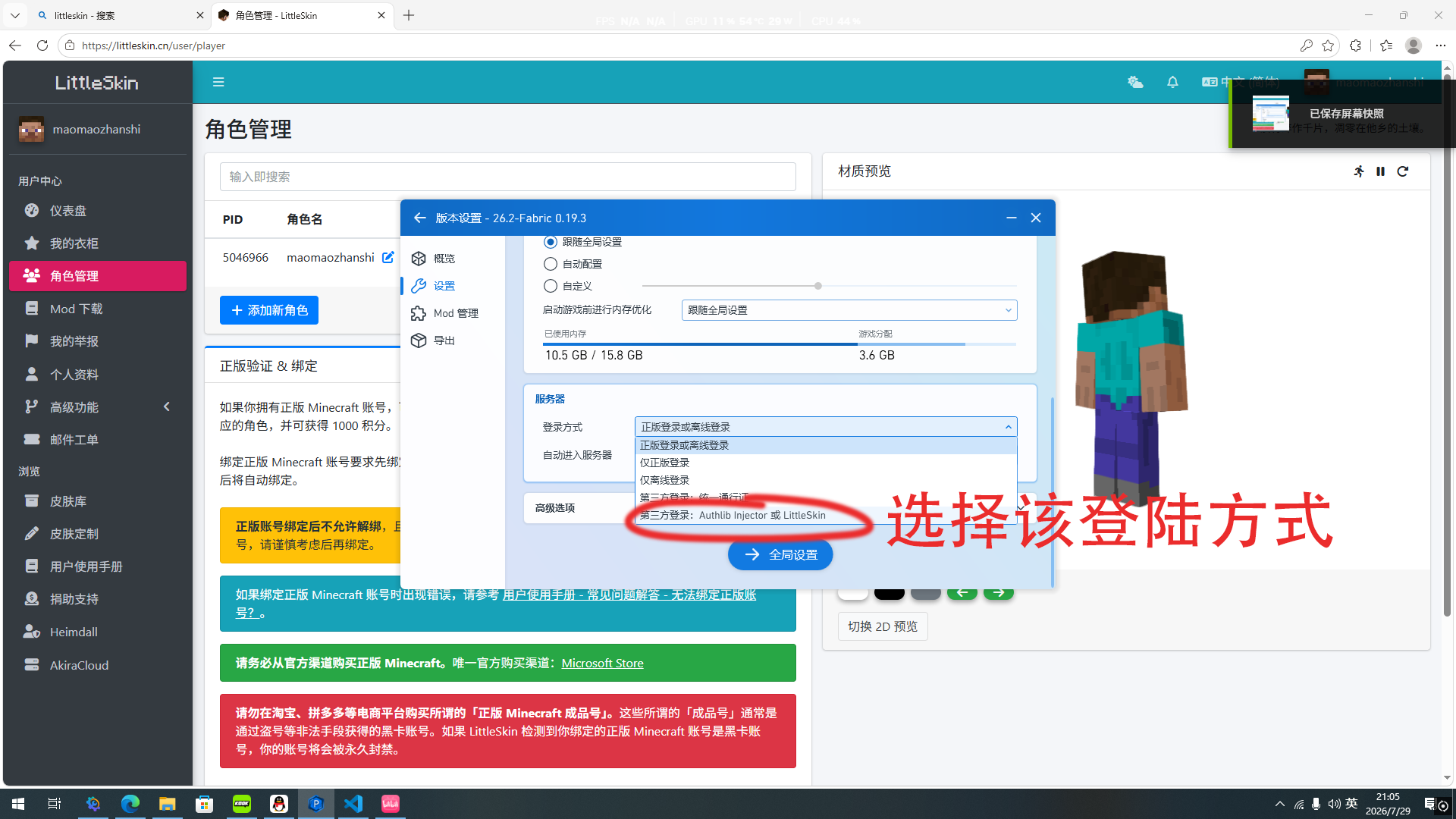
Tips
HMCL is even simpler: after registering a LittleSkin account and creating your game ID, just click LittleSkin on the left side of the HMCL accounts list, enter your game ID and password to log in.
Q4: What if my skin doesn't show up after logging in?
A: You can try the following:
- Offline players should confirm they are logged into the correct LittleSkin account;
- Exit the game and refresh the skin on the launcher page;
- Install a universal skin patch.
Q5: What should I do if network latency is too high in my region?
A: Temporary fix: use a game accelerator and select the "Minecraft China" server;
The server is optimizing its routes and will reduce lag as much as possible going forward.
Q6: What should I do about high in-game latency?
A: 1. Use /ping to check your latency;
2. Switch networks (mobile hotspot / broadband).
Q7: What if the screen goes black or the game crashes when joining?
A: 1. Check your game version;
2. Try removing conflicting mods or shaders.
II. Server Mechanics & Rules
Q1: Do I need to install any mods to join the server?
A: No mods are required. You can add local mods that do not interfere with server gameplay.
Q2: Does the server have microtransactions, VIP, or paid items?
A: Absolutely not. This server is purely non-profit with no paid features. Donations only cover server costs and cannot be used for flight, buffs, or any other perks.
Q3: Will the server world reset periodically?
A: There are no reset plans; the world will be preserved long-term. Only in the event of major failures will notice be given in advance in the QQ group for backups.
Q4: Is there a player limit?
A: Maximum 40 players online. If full, you can wait on the skyblock server or join during off-peak hours. Paid capacity expansion is NOT available!
III. Commands
Q1: How to use the wooden hoe?
A: Walk to the lowest, outermost corner block of your claim. Left-click with a wooden hoe to mark point Pos1;
Then go to the highest, opposite corner block and right-click with the wooden hoe to mark point Pos2;
The rectangular region between the two points will be protected. It is recommended to leave extra room above and below so the roof and basement stay inside.
After selecting the area, type /res create <claim name> to pay and create the claim;
For more claim commands, type /res help.
Q2: Can players see who broke blocks?
A: Players can type /co i to enter inspection mode. Left-click shows block break/place records, right-click shows container item access records;
Type the command again to exit inspection mode.
Q3: What if my claim is griefed?
A: Do not repair it yourself. Contact an admin or the server owner; the admin will penalize the offending player and arrange a rollback of the area.
IV. Global Economy & Market
Q1: How do I earn money?
A: New players can earn money by selling items to the system shop. Use /worthlist to view sellable items;
There are no pay-to-win features — you cannot purchase coins with real money!
Q2: What can I use money for?
A: Use /gmp market gui to buy or sell items on the market;
You can also buy land claims with a wooden hoe, which effectively protects against griefing.
Q3: Why did my coin balance decrease after transferring or selling items?
A: To prevent inflation, player-to-player transfers are charged a 3% fee and market listings a 5% fee.
Note
Global market prices are set by players; to prevent inflation, system shop prices are set by the server (๑•́ω•̀๑)
V. Donations & Community
Q1: What benefits do donations give? Will not donating affect gameplay?
A: Donations only support server operations and provide no in-game privileges. Not donating does not affect any gameplay — the experience is identical.
Q2: Where to report bugs or disputes?
A: You can ask an online admin in-game;
New players can join the official QQ group: 902620497 to give feedback.